Getting your data in
Type in your draft results
Some drafts only exist on paper. A backfill year nobody put online, a league that drafted around a kitchen table, the last thirty picks a paste didn't reach: none of them have a results page to copy. Type them in instead.
Each row saves on its own as you add it, so there is no preview step and nothing held back to confirm. You can stop after four picks and come back for the rest.
Where to do it
Three doors, all the same strip:
- Draft Results in the left sidebar, on an empty season: Type it in, next to Import Results….
- Inside the import wizard, as a third method alongside Copy & paste and Upload a file.
- Add a pick, at the foot of the results ledger, once the season has picks in it. This is the one to reach for after a partial import.
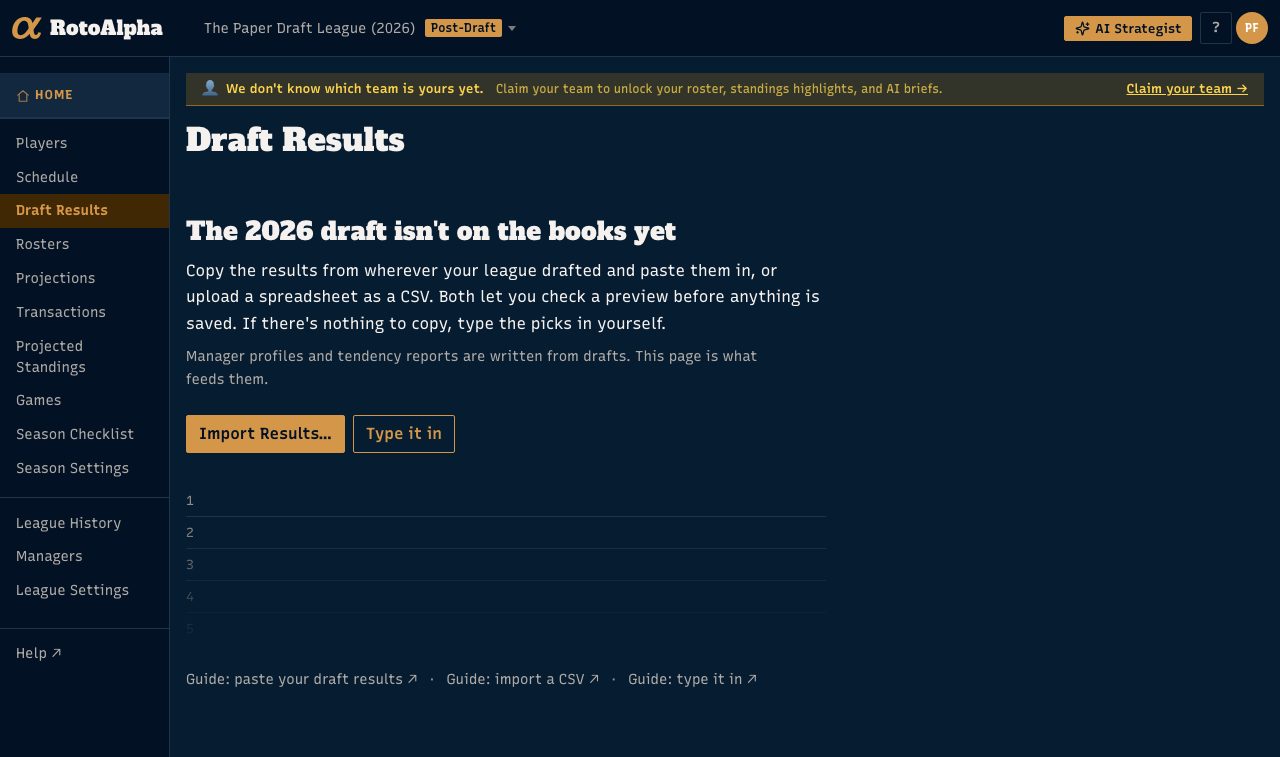
Typing is offered to you as the league's subscriber, and never during a live draft or on the public draft page.
Putting a pick in
Type enough of a name to single the player out, press Enter to take him, then Enter again to save. The strip clears itself and puts the cursor back in the player box, so a stack of picks goes in without touching the mouse.
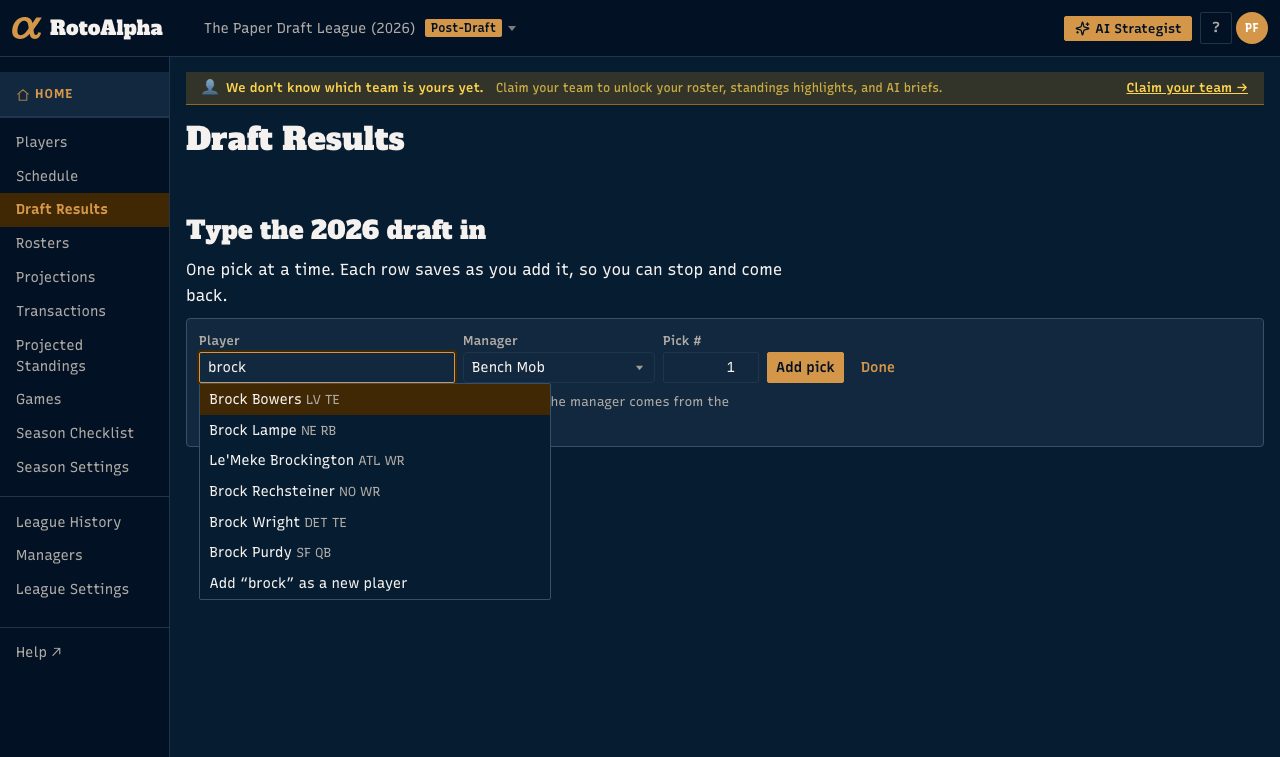
The two fields either side of the name are filled in for you where they can be:
- Manager. On a season with a saved draft order, the manager comes from whoever holds that seat on the board. Change it for a traded pick.
- Pick #. Set to the first empty cell on the board rather than the end of the list, so typing fills the holes a partial paste left before it starts adding to the back. Type over it to place a pick anywhere.
An auction season asks for a Price in whole dollars instead of a pick number, and it is required. There are no seats to read a manager from in an auction, so you choose one every time.
When the name isn't in your player pool
The list offers Add "…" as a new player underneath the matches. Choose it and a Position field appears next to the name; fill it in and save, and the player is created in the season along with the pick. This is how a defunct kicker from 2014 gets into a backfill year.
When the player already has a pick
Saving over a player who is already recorded warns you first and names where he sits and who has him. Save a second time to go through with it. The same challenge covers a cell that already holds someone else: the pick you type wins, and the player who was there is put back in the pool.
If no draft order is on record
The strip says so, records picks in sequence, and lets you name the manager yourself. Setting the draft order in Season Settings is what turns the manager field into something the board fills in for you, and it is worth doing before a long backfill.
The other ways in
If your league drafted somewhere with a results page, pasting it in is far quicker, and a spreadsheet is better imported as a CSV. Typing is for what those cannot reach.
More in Getting your data in
- Paste your draft resultsCopy the draft recap from wherever your league drafted, paste it in, and check the preview.
- Import data from a CSVWhat columns are expected, how column matching works, and how to fix rows that do not match.
- Upload your own projectionsBring your own numbers, and understand what the active projection set changes.
- Import your league's historyAdd past seasons one year at a time, and get the same manager recognized across all of them.